Computer & Internet
What is a WiFi Extender: Exploring its Functions and Benefits

In today’s digitally connected world, WiFi has become an essential part of our everyday lives. From streaming movies to conducting business meetings, a stable and reliable WiFi connection is indispensable. However, despite the advancements in technology, dead zones and weak signals still plague many households and workplaces. This is where WiFi extenders come into play. In this article, we’ll delve into what exactly a WiFi extender is, how it works, and the myriad benefits it offers to users.
Understanding What is WiFi Extender:
A WiFi extender, also known as a WiFi booster or repeater, is a device designed to enhance the coverage and strength of a wireless network. It acts as a bridge between the router and devices, amplifying the existing WiFi signal and extending its reach to areas that were previously out of range or experiencing weak connectivity. Essentially, a WiFi extender takes the signal from the router, amplifies it, and rebroadcasts it, effectively expanding the network’s coverage area.
How WiFi Extenders Work:
To comprehend the functionality of WiFi extenders, it’s essential to grasp the basic principles of how WiFi operates. WiFi signals are transmitted via radio waves within a certain frequency range, typically 2.4 GHz or 5 GHz. However, these signals can be obstructed or weakened by physical barriers such as walls, floors, and electronic devices, leading to dead zones or areas with poor connectivity.
When a WiFi extender is deployed within the network, it detects the existing WiFi signal from the router and captures it using its antennas. The extender then amplifies the signal’s strength and retransmits it, effectively extending the coverage area. This process enables devices located farther away from the router to connect to the network with improved signal strength and stability.
Benefits of Using a WiFi Extender:
- Enhanced Coverage: One of the primary advantages of utilizing a WiFi extender is the significant improvement in network coverage. By eliminating dead zones and extending the reach of the WiFi signal, users can enjoy seamless connectivity throughout their homes or offices, even in hard-to-reach areas.
- Improved Signal Strength: Weak WiFi signals can lead to frustratingly slow internet speeds and intermittent connectivity issues. WiFi extenders work to boost the signal strength, resulting in faster data transmission rates and more stable connections for connected devices.
- Cost-Effective Solution: Compared to alternative methods of extending WiFi coverage, such as upgrading to a more powerful router or installing additional access points, WiFi extenders offer a cost-effective solution. They provide an affordable means of improving WiFi coverage without the need for extensive wiring or infrastructure changes.
- Easy Installation and Setup: Most WiFi extenders are designed for plug-and-play installation, making them incredibly user-friendly. Typically, users only need to position the extender within range of the existing WiFi network, follow a simple setup process, and they’re ready to go. This simplicity makes WiFi extenders accessible to users of all technical skill levels.
- Versatility: WiFi extenders come in various forms, including desktop models, wall-plug designs, and outdoor units. This versatility allows users to choose the type of extender that best suits their specific needs and environment. Whether you’re looking to extend coverage indoors or outdoors, there’s a WiFi extender available to accommodate your requirements.
- Scalability: As the number of connected devices in a household or workplace continues to grow, so does the demand for reliable WiFi coverage. WiFi extenders offer scalability by allowing users to expand their network coverage as needed without the hassle of complex installations or configurations.
- Compatibility: WiFi extenders are compatible with most standard routers and networking equipment, making them a versatile solution for extending WiFi coverage in various environments. Whether you’re using a router provided by your internet service provider or a third-party device, chances are a WiFi extender will be compatible with your existing setup.
- Seamless Roaming: In environments with multiple WiFi access points, such as large homes or office buildings, seamless roaming between networks is essential for uninterrupted connectivity. Many modern WiFi extenders support technologies like seamless roaming, ensuring that devices can seamlessly switch between access points without experiencing drops in connection.
Conclusion:
In conclusion, a WiFi extender is a valuable tool for enhancing WiFi coverage and overcoming the challenges posed by dead zones and weak signals. By amplifying and extending the existing WiFi network, extenders provide users with improved signal strength, enhanced coverage, and seamless connectivity across their homes or workplaces. With their ease of installation, affordability, and versatility, WiFi extenders offer an effective solution for ensuring a reliable wireless internet connection in today’s connected world. Whether you’re struggling with poor WiFi coverage in certain areas or simply looking to future-proof your network, investing in a WiFi extender can provide a multitude of benefits for users of all kinds.

You may like
Computer & Internet
Best Laptops for Video Editing: 7 Powerful Picks for 4K Creators
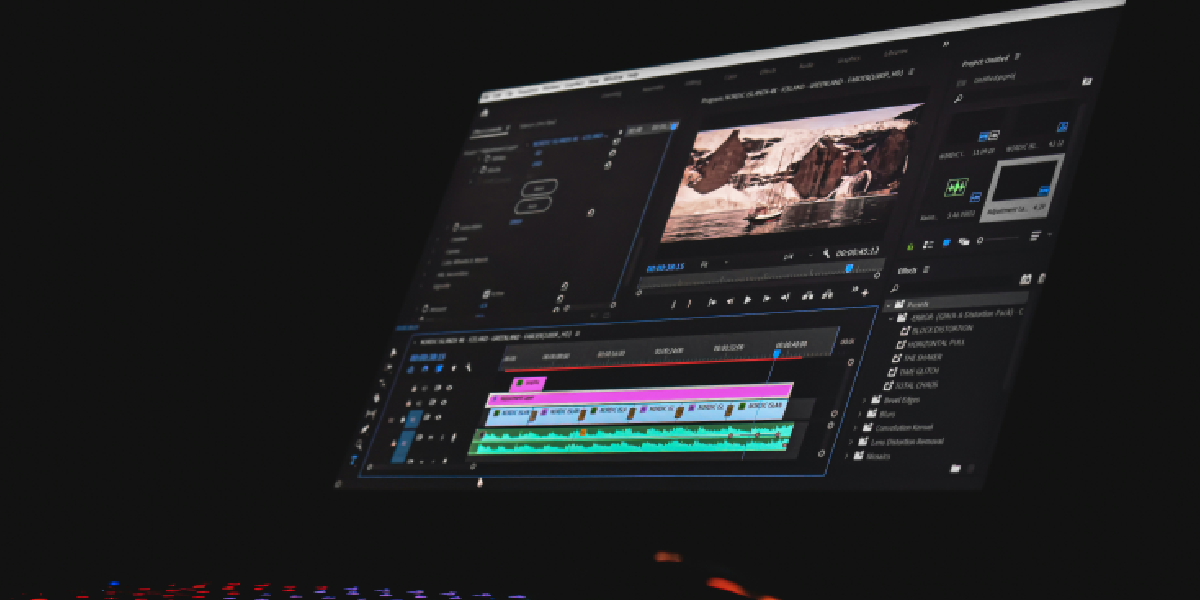
Choosing an editing laptop is easy if you only look at processor names and GPU numbers. Choosing the right one is much harder.
A laptop that looks spectacular on a specification sheet may disappoint when you spend two hours grading 4K footage, work with multiple camera angles, or export a long project while other applications are open. Conversely, a lighter and less expensive machine can be a better investment when your projects are relatively simple.
The good news is that today’s creator laptops are remarkably capable. Current high-end machines can handle demanding 4K workflows, while premium models offer accurate displays, fast storage, strong battery efficiency, and hardware acceleration for modern editing software. Recent testing also shows that the latest MacBook Pro remains a standout for editors who value the combination of performance, display quality, and battery life, while Windows creator laptops provide excellent alternatives for users who need NVIDIA graphics or broader hardware choice.
This guide takes a practical approach. Instead of simply ranking expensive laptops, it explains which type of machine makes sense for different editing workloads—and where you should spend your money.
Quick Picks: Which Editing Laptop Should You Buy?
| Laptop | Best for | Main strength | Main limitation |
|---|---|---|---|
| MacBook Pro 14/16-inch | Professional editing | Excellent performance, display and efficiency | Expensive upgrades |
| ASUS ProArt P16 / creator range | Windows creators | OLED display + powerful NVIDIA GPU | Battery life varies by configuration |
| ASUS ROG Zephyrus G16 | Editing + gaming | Strong GPU performance in a relatively portable design | Premium pricing |
| Lenovo Legion Pro series | Performance-focused editors | Powerful hardware and high-quality OLED options | Shorter battery life under heavy workloads |
| Dell Pro Max / Precision-class | Professional workstations | Sustained performance and workstation features | Heavy and expensive |
| HP ZBook | Production professionals | Workstation-class configurations | Cost increases quickly with upgrades |
| MacBook Air | Students and light creators | Portability and efficiency | Not ideal for sustained heavy rendering |
These are categories rather than claims that one configuration is universally superior. Laptop specifications, prices, and availability can change, so check the exact configuration before buying.
What Should You Look for in a Video Editing Laptop?
The most important buying lesson is this: don’t buy components in isolation.
A powerful processor paired with inadequate cooling is not necessarily a good editing machine. A beautiful OLED display is not enough if the laptop lacks the GPU required by your effects workflow. And a 4TB SSD may be unnecessary if you already use fast external storage.
CPU: Important for editing, encoding and multitasking
The processor handles a large portion of general editing work, including timeline operations, encoding, application responsiveness, and tasks that aren’t heavily GPU accelerated.
For serious editing, a modern performance-oriented processor is preferable to an entry-level or low-power chip.
However, don’t assume that the laptop with the highest advertised core count automatically wins. Sustained power limits and thermal design can make a significant difference during long exports.
If you regularly edit while running Premiere Pro, After Effects, Photoshop and a browser simultaneously, additional CPU and memory headroom can make the system feel considerably more responsive.
GPU: Particularly important for effects and color work
Modern editing applications increasingly use GPU acceleration.
This matters especially for editors using DaVinci Resolve, complex effects, color grading, motion graphics, noise reduction, or high-resolution footage.
A dedicated NVIDIA GPU is often the sensible choice for demanding Windows-based creative workflows. That doesn’t mean every editor needs a top-end GPU. For straightforward 1080p or uncomplicated 4K projects, spending heavily on graphics performance can produce diminishing returns.
The better question is: what does your editing software actually use?
RAM: 32GB is the comfortable target
16GB can still work for light editing, but 32GB is a much safer target for regular 4K work.
Consider 64GB if your workflow involves:
- Large multicamera timelines
- After Effects compositions
- High-resolution RAW footage
- Heavy visual effects
- Multiple creative applications open simultaneously
- Long projects with many assets
The goal isn’t to buy the maximum amount of RAM. It is to avoid constantly running out of working memory when your projects become complicated.
SSD: Fast storage matters more than people expect
Video editing involves constantly reading and writing large files.
A fast internal SSD helps with application loading, project access, caching and media management. For most serious editors, 1TB should be considered a practical starting point, while 2TB makes life considerably easier.
But there is an important money-saving strategy: don’t necessarily pay an enormous premium for internal storage.
A laptop with 1TB or 2TB internal storage paired with a fast external SSD can be a better-value setup than an extremely expensive 4TB or 8TB internal configuration.
Keep the operating system, applications and active project files on fast storage, while older footage and archives can live elsewhere.
The 7 Best Laptop Choices for Editors
1. MacBook Pro — Best Overall for Professional Editing
The current MacBook Pro is the easiest recommendation for editors who want a premium combination of performance, display quality, portability and battery efficiency.
The 2026 16-inch MacBook Pro with M5 Pro is particularly compelling. Testing from Tom’s Guide reports a 16.2-inch Liquid Retina XDR display, M5 Pro with an 18-core CPU and 20-core GPU, configurations from 24GB to 64GB unified memory, and battery testing above 21 hours in its methodology.
Why does that matter?
Because editing is not just about export speed. You may spend six hours scrubbing footage, reviewing clips, correcting color and moving between applications. A laptop that remains efficient away from a wall socket can be more useful than a faster desktop replacement that constantly needs its charger.
The display is another major advantage. A high-quality panel with strong brightness, contrast and color performance gives editors more confidence when reviewing footage.
Best for: Professional editors, filmmakers, YouTubers, and creators who travel.
Choose the 14-inch version if: portability matters most.
Choose the 16-inch version if: timeline space and a larger working area matter more.
Main drawback: Memory and storage upgrades can become expensive, so configure carefully when purchasing.
2. ASUS ProArt P16 — Best Windows Creator Laptop
The ProArt P16 is aimed directly at creative professionals rather than gamers who happen to edit video.
That distinction matters because the machine is designed around the needs of creators: high-end processors, discrete NVIDIA graphics and high-quality displays are combined in a chassis intended for demanding creative work.
Independent testing has previously highlighted the ProArt P16’s OLED display, powerful AMD processor and discrete NVIDIA GPU as major strengths for video editing.
The current ProArt family is particularly interesting for editors who also work in photography, graphic design, animation or 3D.
Best for: Windows users who edit video and work across several creative applications.
Main drawback: High-performance configurations can be expensive, and battery behavior varies significantly between configurations.
3. ASUS ROG Zephyrus G16 — Best for Editing and Gaming
A gaming laptop can be an excellent editing laptop when the hardware is selected intelligently.
The 2026 ROG Zephyrus G16 is a strong example. Recent Indian testing placed it at the top of a creator-focused comparison, highlighting its OLED display, RTX 5070 Ti graphics, portability and strong DaVinci Resolve performance.
Its appeal is simple: you get serious GPU performance without necessarily carrying an enormous desktop-replacement laptop.
For someone who edits during the day and games in the evening, this can be a better value proposition than owning separate machines.
Best for: Editors who also game or use GPU-heavy applications.
Main drawback: Gaming-oriented laptops can become noisy and consume significant power during demanding workloads.
4. Lenovo Legion Pro — Best for Performance per Rupee
Lenovo’s Legion Pro family deserves consideration if raw performance is more important than ultra-long battery life.
Higher-end configurations can combine powerful processors, NVIDIA graphics and OLED displays. Recent 2026 testing of the Legion Pro 5i Gen 10 showed particularly strong DaVinci Resolve performance and identified its OLED panel as a major strength.
This type of machine makes sense for editors who spend most of their time at a desk.
Best for: Performance-focused editors, students entering professional work, and creators who don’t mind carrying a heavier laptop.
Main drawback: Battery life can be substantially weaker than an efficiency-focused MacBook, especially under demanding workloads.
5. Dell Pro Max / Precision-Class Workstations — Best for Professional Studios
Professional workstation laptops occupy a different category.
They make sense when editing is part of a broader production pipeline involving 3D rendering, visualization, engineering or other workstation-class applications.
A workstation is also worth considering when professional support, configuration flexibility and long-duration workloads matter more than weight.
For a freelance YouTuber, this may be unnecessary. For a production company buying machines for employees, the calculation can be very different.
Best for: Studios, production professionals and demanding mixed workloads.
Main drawback: Price and weight.
6. HP ZBook — Best for Mobile Workstation Work
HP’s ZBook family takes a similar approach, combining professional hardware with workstation-oriented configurations.
This category becomes particularly attractive when you need large amounts of memory, professional graphics options or a machine capable of handling more than conventional video editing.
The trade-off is obvious: workstation hardware costs money, and powerful mobile workstations are rarely the lightest laptops available.
Best for: Editors whose work overlaps with visual effects, 3D or other professional workloads.
Main drawback: Expensive configurations and relatively high weight.
7. MacBook Air — Best for Lightweight Editing
Not every editor needs a $3,000-plus workstation.
If you create social-media videos, YouTube content, student projects or shorter 4K videos, a MacBook Air-class machine can be a sensible option.
Its biggest strength is portability. A laptop that weighs little and lasts a long time away from a charger can be more valuable to a student or traveling creator than a significantly faster machine that rarely leaves the desk.
The limitation appears during sustained heavy workloads. Long exports and demanding effects are better suited to machines designed for higher sustained power.
Best for: Students, beginners, travelers and light-to-moderate editors.
Main drawback: Not the ideal choice for intensive professional rendering all day.
Mac or Windows: Which Is Better for Editing?
There isn’t a universal winner.
Choose Mac if you prioritize:
- Battery efficiency
- Portable professional editing
- A high-quality built-in display
- Final Cut Pro or a macOS-centered workflow
- Quiet, consistent everyday operation
Choose Windows if you prioritize:
- NVIDIA GPU options
- Hardware variety
- Gaming
- Upgrade flexibility on selected models
- Specialized Windows-only software
Windows also offers an enormous range of machines, from relatively affordable gaming laptops to professional workstations.
Macs, meanwhile, have a particularly strong reputation for performance-per-watt. Current testing of the M5 Pro MacBook Pro illustrates how this efficiency can translate into unusually long battery life for a high-performance editing machine.
What Specifications Do You Actually Need?
A useful starting point looks like this:
| Workload | CPU | RAM | GPU | Storage |
|---|---|---|---|---|
| Social media/1080p | Modern mid-range | 16GB | Integrated or entry GPU | 512GB–1TB |
| YouTube 4K | High-performance | 32GB | Capable dedicated GPU or strong integrated solution | 1TB |
| Professional 4K | High-end | 32–64GB | Strong dedicated GPU | 1–2TB |
| 6K/8K + effects | High-end | 64GB+ | High-end GPU | 2TB+ |
These aren’t absolute requirements.
For example, codec choice, proxy workflows, project complexity and software optimization can dramatically change how much hardware you need.
Adobe’s current Premiere Pro requirements should therefore be checked before purchase, particularly if you rely on specific codecs or advanced features.
Don’t Buy a Laptop Based on One Benchmark
This is one of the most important pieces of advice for buyers.
A benchmark can tell you something useful, but it doesn’t tell you everything about the editing experience.
For video work, look for evidence of:
- Long export performance
- Timeline responsiveness
- GPU-accelerated effects
- SSD performance
- Fan noise
- Thermal throttling
- Display color performance
- Battery life
- Port selection
Why?
Imagine two laptops. Laptop A completes a short benchmark faster. Laptop B is slightly slower but maintains its performance during a 60-minute export.
If you routinely export hour-long projects, Laptop B may be the more useful professional tool.
Recent creator-laptop testing in India specifically emphasizes sustained performance rather than simply peak benchmark numbers, including long exports and whether displays are accurate enough for grading.
What About a Gaming Laptop?
Don’t dismiss gaming laptops.
A good gaming laptop can provide excellent editing performance because the same powerful GPU and CPU that drive demanding games can accelerate creative applications.
The question is whether you can accept the trade-offs.
Gaming laptops commonly offer:
- Strong GPU performance
- Good CPU performance
- Competitive pricing
- High-refresh-rate displays
But they can also bring:
- More fan noise
- Shorter battery life
- Greater weight
- Larger power adapters
- More aggressive thermal behavior
If you primarily edit at a desk, these compromises may be irrelevant.
Should You Buy 16GB, 32GB or 64GB RAM?
For most people, 32GB is the sweet spot.
Choose 16GB if you’re working with lighter projects and need to control the budget.
Choose 32GB if you’re serious about 4K editing.
Choose 64GB or more if you’re regularly working with After Effects, large multicamera projects, high-resolution RAW footage or complex effects.
The important point is that RAM is difficult or impossible to upgrade on many modern premium laptops. Buying enough memory at the start is therefore more important than it was with older laptops.
FAQs
What is the best laptop for 4K video editing?
For professional 4K work, a MacBook Pro with a higher-end Apple silicon configuration or a powerful Windows creator laptop with a dedicated NVIDIA GPU are strong starting points. The better choice depends on your software and whether you need NVIDIA-specific acceleration.
Is 16GB RAM enough for 4K editing?
It can work, particularly with optimized projects and proxy workflows, but 32GB is a safer choice for regular 4K editing.
Is MacBook Pro good for Premiere Pro?
Yes. Premiere Pro runs on macOS, and current MacBook Pro hardware provides a strong combination of CPU/GPU performance, media-engine capabilities, display quality and battery efficiency.
Is a gaming laptop good for video editing?
Yes. A gaming laptop with a strong CPU, dedicated GPU, 32GB RAM and a good display can be an excellent editing machine.
Do video editors need an OLED display?
No. OLED is attractive because of its contrast and image quality, but it isn’t mandatory. A good IPS or mini-LED panel can also be excellent. Color accuracy and calibration matter more than the panel technology alone.
How much SSD storage does a video editor need?
Start with 1TB if possible. Two terabytes is more comfortable for people who keep active projects locally. An external SSD is an effective way to expand storage without paying a large premium for internal capacity.
Should I buy the most powerful laptop I can afford?
Not necessarily.
If your projects are simple 1080p videos, an expensive workstation may be wasted money. Conversely, if you earn your income from professional 4K or 6K production, spending more on RAM, GPU performance and sustained cooling can save time every week.
Final Decision Guide: Buy for Your Workflow, Not the Spec Sheet
The right laptop depends on what happens after you press New Project.
If you’re a professional editor who spends hours every day inside Premiere Pro, Final Cut Pro or DaVinci Resolve, prioritize sustained performance, 32GB or more RAM, fast storage and a high-quality display. The MacBook Pro is an especially strong all-round choice, while the ASUS ProArt and comparable Windows creator laptops are compelling if you prefer Windows or need NVIDIA graphics.
If you’re a creator who edits and games, a high-performance laptop such as the ROG Zephyrus G16 or Lenovo Legion Pro can make more sense.
If you’re building a professional workstation for demanding production, consider Dell Pro Max, HP ZBook or Lenovo’s workstation-class machines.
And if you’re a student or casual creator, don’t let a list of flagship specifications convince you that you need a huge investment. A capable, portable laptop with 16GB–32GB RAM and fast SSD storage may be all you need.
Most importantly, identify your editing resolution, software, typical project size, effects workload, portability requirements and budget before choosing a model.
The best purchase isn’t the laptop with the biggest numbers. It’s the machine that keeps your timeline responsive, your exports predictable and your workflow moving when the project gets complicated.
Computer & Internet
What is Web3 Technology? Simple Beginner-Friendly Guide to the Decentralized Web

The internet has gone through a massive transformation over the last few decades. From static web pages in the early days to interactive social platforms and mobile-first applications, we are now entering a new era known as Web3. This evolution is changing how we interact online, how data is stored, and who truly owns digital assets.
In simple terms, Web3 Technology is a new way of building and using the internet that focuses on decentralization, user ownership, and transparency. Instead of large centralized companies controlling all data and platforms, Web3 distributes control across users through blockchain networks.
If you’ve been wondering What is Web3 Technology and why everyone in tech, finance, and even gaming is talking about it, this guide will break it down in a beginner-friendly and practical way.
What is Web3 Technology? (Simple Explanation)
To understand What is Web3 Technology, think of the internet as having three major phases:
- Web1 (Read-only web): You could read information but not interact much.
- Web2 (Interactive web): You can read, write, post, and interact (social media era).
- Web3 (Decentralized web): You can read, write, and own digital assets and data.
Web3 is powered mainly by blockchain technology. This means instead of data being stored on centralized servers owned by companies like Google or Facebook, it is stored across a distributed network of computers.
So when people ask What is Web3 Technology, the simplest answer is:
It is the next generation of the internet where users control their own data, identity, and digital assets without relying on centralized authorities.
This shift is revolutionary because it aims to give power back to users instead of platforms.
Evolution of the Internet: Web1, Web2, and Web3
To fully understand What is Web3 Technology, we need to look at how the internet evolved.
Web1 – The Static Era (1990s to early 2000s)
- Mostly read-only websites
- Limited interaction
- Simple HTML pages
- No social media or user-generated content
Web2 – The Social and Interactive Era (2004 onward)
- Rise of social media platforms
- User-generated content (YouTube, Facebook, Instagram)
- Mobile apps and cloud computing
- Centralized control of data by big tech companies
While Web2 brought connectivity and convenience, it also introduced problems like:
- Data privacy issues
- Centralized control
- Platform dependency
Web3 – The Decentralized Era (Emerging now)
- Built on blockchain networks
- Users own their data and digital assets
- Smart contracts automate transactions
- No single controlling authority
This transformation is why understanding What is Web3 Technology is becoming essential for developers, investors, and everyday users.
Core Principles Behind Web3
To deeply understand What is Web3 Technology, we must explore its foundation.
1. Decentralization
Instead of data being stored on a single server, it is distributed across a network of nodes. This reduces the risk of censorship and data loss.
2. Transparency
All transactions on a blockchain are publicly verifiable, making systems more trustworthy.
3. User Ownership
Users own their digital identity, assets, and content through cryptographic keys.
4. Trustless Systems
You don’t need to trust a company; you trust the technology and code instead.
5. Token Economy
Digital tokens represent value, ownership, or access rights within a network.
These principles are central when learning What is Web3 Technology and how it differs from previous internet versions.
How Web3 Technology Works
At the core of Web3 is blockchain technology. A blockchain is a distributed digital ledger that records transactions across many computers.
Here’s how it works step-by-step:
- A user initiates a transaction (e.g., sending crypto).
- The transaction is broadcast to a network of computers (nodes).
- Nodes validate the transaction using consensus mechanisms.
- Once verified, the transaction is added to a block.
- The block is added to a chain of previous blocks (hence “blockchain”).
Smart contracts play a crucial role in Web3. These are self-executing programs that automatically run when conditions are met.
When people ask What is Web3 Technology, understanding blockchain and smart contracts is essential because they form its backbone.
Key Components of Web3 Ecosystem
1. Blockchain Networks
Blockchains like Ethereum and others serve as the infrastructure for Web3 applications.
2. Cryptocurrencies
Digital currencies like ETH or BTC are used for transactions and incentives.
3. Wallets
Digital wallets store crypto assets and private keys (e.g., MetaMask).
4. dApps (Decentralized Applications)
These are apps built on blockchain instead of centralized servers.
5. NFTs (Non-Fungible Tokens)
Unique digital assets representing ownership of art, music, or items.
All of these components help define What is Web3 Technology in practical terms.
What is Web3 Technology in Real-Life Applications
Web3 is not just theoretical—it is already being used in several industries.
1. Decentralized Finance (DeFi)
DeFi replaces traditional banks with blockchain-based financial systems:
- Lending platforms
- Borrowing systems
- Yield farming
2. Gaming (GameFi)
Players can truly own in-game assets like skins, weapons, or characters.
3. Digital Identity
Users can control their identity without relying on social media platforms.
4. Supply Chain Management
Blockchain helps track goods transparently from origin to destination.
5. Content Creation
Creators can monetize directly without intermediaries.
Each of these use cases helps us better understand What is Web3 Technology in the real world.
Benefits of Web3 Technology
Understanding What is Web3 Technology also involves recognizing its advantages:
1. Data Ownership
Users own their personal data instead of corporations.
2. Increased Security
Blockchain technology reduces hacking risks due to decentralization.
3. Transparency
Every transaction is recorded and verifiable.
4. Reduced Dependence on Middlemen
Smart contracts eliminate the need for intermediaries.
5. Financial Inclusion
People without bank access can participate in global finance.
These benefits are driving global interest in Web3 adoption.
Challenges of Web3 Technology
Despite its potential, Web3 still faces challenges:
1. Scalability Issues
Many blockchains struggle to handle large numbers of users.
2. Complexity
For beginners, wallets and private keys can be confusing.
3. Regulatory Uncertainty
Governments are still figuring out how to regulate Web3 systems.
4. Energy Consumption
Some blockchain networks consume significant energy.
5. Security Risks
If users lose private keys, assets cannot be recovered.
These challenges are important when evaluating What is Web3 Technology realistically.
Future of Web3 Technology
The future of Web3 looks promising but still evolving.
We can expect:
- More user-friendly decentralized apps
- Integration with AI and IoT
- Growth of decentralized social media platforms
- Stronger regulations and governance frameworks
- Increased adoption in enterprise systems
As awareness grows, What is Web3 Technology will shift from a niche concept to a mainstream digital standard.
How to Get Started with Web3
If you’re new and want to explore Web3, here are simple steps:
Step 1: Learn the Basics
Understand blockchain, crypto wallets, and smart contracts.
Step 2: Set Up a Crypto Wallet
Install a wallet like MetaMask.
Step 3: Buy Small Amounts of Crypto
Start with a small investment for learning purposes.
Step 4: Explore dApps
Try decentralized exchanges, NFT platforms, or blockchain games.
Step 5: Stay Updated
Follow Web3 communities and news platforms.
This hands-on experience will make What is Web3 Technology much easier to understand.
Common Misconceptions About Web3
Many people misunderstand Web3. Let’s clear a few myths:
- Myth: Web3 is only about cryptocurrency
Truth: Crypto is just one part of Web3. - Myth: Web3 is fully decentralized today
Truth: It is still evolving and partially centralized in many areas. - Myth: Web3 will replace Web2 completely
Truth: Both will likely coexist.
Understanding these helps clarify What is Web3 Technology more accurately.
Frequently Asked Questions (FAQs)
What is Web3 Technology in simple words?
Web3 Technology is a decentralized version of the internet where users own their data, identity, and digital assets instead of centralized companies.
How is Web3 different from Web2?
Web2 is controlled by centralized platforms, while Web3 is built on blockchain and gives users ownership and control over their data.
Is Web3 safe to use?
Web3 is generally secure due to blockchain technology, but users must protect their private keys and avoid scams.
Do I need cryptocurrency to use Web3?
Not always, but many Web3 applications use crypto for transactions, fees, or rewards.
What are examples of Web3 applications?
Examples include decentralized exchanges, NFT marketplaces, blockchain games, and DeFi platforms.
Will Web3 replace the current internet?
Not completely. Web3 is expected to coexist with Web2 while gradually integrating into mainstream platforms.
Why is Web3 important?
Web3 is important because it improves privacy, security, ownership, and reduces reliance on centralized tech companies.
Conclusion
To summarize, What is Web3 Technology can be understood as a revolutionary shift in how the internet works—moving from centralized systems to decentralized networks powered by blockchain. It gives users more control, ownership, and transparency than ever before.
Although still evolving, Web3 has already begun reshaping industries like finance, gaming, and digital identity. While challenges remain, its potential to transform the internet is undeniable.
As adoption grows, understanding What is Web3 Technology will become an essential skill for anyone navigating the digital future.
Computer & Internet
AMD Ryzen vs. Intel: Unraveling the Battle for CPU Supremacy

The perennial battle between AMD’s Ryzen and Intel’s processors has been a cornerstone of the computing world for years. As technology enthusiasts, gamers, and professionals seek the ideal balance of performance, power efficiency, and value, the choice between Ryzen and Intel CPUs has become increasingly challenging. In this comprehensive comparison, we’ll delve into the intricacies of Ryzen and Intel processors, exploring their architectures, performance metrics, market positioning, and the ever-evolving landscape of the CPU market.
Understanding Architectural Differences
The heart of any processor lies in its architecture, dictating how it processes information and executes tasks. AMD’s Ryzen processors, built on the Zen architecture, marked a significant turning point for the company. Zen brought about a substantial leap in performance and efficiency, challenging Intel’s dominance in the market.
On the other hand, Intel’s processors, traditionally based on the Core architecture, have undergone iterative improvements over the years. However, recent advancements have introduced architectures like Skylake, Kaby Lake, Coffee Lake, and more, each striving to outperform its predecessor in terms of speed, efficiency, and feature set.
Cores and Threads: The Battle for Multitasking Prowess
One of the critical aspects of processor performance is the number of cores and threads. Ryzen processors are renowned for their high core and thread counts at competitive price points. The Ryzen series often offers more cores and threads than their Intel counterparts, providing users with a substantial advantage in multitasking scenarios.
Intel, recognizing the importance of increasing core counts, has responded with processors featuring higher core and thread numbers as well. However, the battle between Ryzen and Intel in this domain is more than just raw numbers. The efficiency of core utilization, cache management, and overall architecture also play crucial roles in determining real-world performance.
Performance Metrics: Benchmarking the Rivals
Benchmarking is a standard method for evaluating and comparing the performance of processors. Tools like Cinebench, Geekbench, and others offer insights into the raw computational power of CPUs. Ryzen processors have consistently shown impressive results in these benchmarks, often delivering robust multi-core performance that outshines their Intel counterparts in certain scenarios.
Intel, on the other hand, has long been associated with strong single-core performance, which is vital for tasks that rely heavily on clock speed. The battle between Ryzen and Intel in benchmarks is not one-sided, as the specific requirements of users and applications play a crucial role in determining which processor performs better in a given context.
Gaming Performance: A Crucial Arena
For many users, especially gamers, the performance of a CPU in gaming scenarios is paramount. Historically, Intel has held an edge in gaming performance due to its higher single-core clock speeds. Games often rely on strong single-core performance, and Intel processors have excelled in delivering the required speed for optimal gaming experiences.
However, recent Ryzen iterations, especially those based on the Zen 3 architecture, have significantly narrowed the gap. The introduction of the Ryzen 5000 series has positioned AMD as a strong contender in the gaming arena, with some processors even surpassing their Intel counterparts in certain titles. As game developers continue to optimize for multi-core architectures, Ryzen’s prowess in multitasking can be a deciding factor for users seeking a holistic computing experience.
Overclocking: Unleashing the Power
Enthusiasts and power users often indulge in overclocking to extract additional performance from their CPUs. Both Ryzen and Intel processors support overclocking, allowing users to push their CPUs beyond stock clock speeds. The effectiveness of overclocking, however, depends on various factors, including thermal management, power delivery, and the inherent stability of the processor.
Ryzen processors, especially those based on the Zen architecture, have earned a reputation for being overclocking-friendly. The unlocked multiplier on many Ryzen models simplifies the overclocking process, making it accessible even to users with limited experience. Intel processors, too, support overclocking, with the K-series CPUs being the primary choice for enthusiasts looking to push their systems to the limit.
Integrated Graphics: A Deciding Factor for Some
Integrated graphics have become increasingly relevant, especially with the rise of compact form factors and systems designed for everyday tasks. Ryzen processors, equipped with Radeon Vega graphics in certain models, offer decent integrated graphics performance, allowing users to engage in light gaming and multimedia tasks without the need for a dedicated graphics card.
Intel’s processors, with their integrated Intel UHD or Iris graphics, also cater to users who prioritize integrated graphics performance. The battle between Ryzen and Intel in this aspect revolves around the specific requirements of users, with some favoring the slightly superior graphics performance of one over the other.
Pricing and Value Proposition
In the fiercely competitive CPU market, pricing plays a pivotal role in influencing purchasing decisions. AMD’s Ryzen processors have gained a reputation for delivering exceptional value for money, often providing comparable or even superior performance to Intel counterparts at lower price points. This has endeared Ryzen to budget-conscious users and those seeking the best performance-to-price ratio.
Intel, historically considered a premium brand, has adjusted its pricing strategy to remain competitive. While Intel processors might still be positioned at higher price points, the company aims to justify this with features, optimizations, and brand loyalty. The battle for market share in the budget and mid-range segments intensifies as Ryzen continues to offer compelling options.
Technological Innovations: Beyond the Cores and Clocks
The competition between Ryzen and Intel extends beyond the core and clock speed race. Both companies continually introduce innovative features and technologies to enhance the overall user experience. Ryzen processors leverage technologies like Precision Boost, which dynamically adjusts clock speeds for optimal performance, and Simultaneous Multithreading (SMT), enhancing multitasking capabilities.
Intel, too, has introduced technologies like Turbo Boost for dynamic clock speed adjustments and Hyper-Threading to improve multitasking. The battle for technological supremacy involves not only introducing new features but optimizing existing ones to deliver tangible benefits to users.
Future Prospects: The Road Ahead
As technology advances, the battle between Ryzen and Intel is far from settled. Both companies are likely to continue pushing the boundaries of CPU performance, introducing new architectures, optimizing existing ones, and exploring innovative solutions to meet the evolving needs of users.
The integration of CPUs with other components, such as GPUs and AI accelerators, is a trend that could shape the future landscape. The battle for dominance in emerging technologies and applications, including artificial intelligence, machine learning, and high-performance computing, will further define the rivalry between Ryzen and Intel.
Conclusion
In the ongoing saga of Ryzen vs. Intel, the choice between these two giants ultimately depends on the specific needs and preferences of users. Ryzen processors, with their high core counts, competitive pricing, and overclocking potential, have disrupted the market and garnered a dedicated fan base. Intel, with its legacy of strong single-core performance and a commitment to innovation, remains a formidable competitor.
Ultimately, whether you prioritize gaming performance, multitasking capabilities, or a balance of both, the decision between Ryzen and Intel should be based on a thorough assessment of your requirements and budget. As the battle for CPU supremacy rages on, users can rest assured that they have a wealth of options, each offering a unique blend of features and performance.

How to Increase Battery Life on Android

Guest Blogging Guide: How to Build Backlinks, Authority & Traffic in 2026

Best Laptops for Video Editing: 7 Powerful Picks for 4K Creators

Ghost Blogging vs. Regular Blogging: Understanding the Key Differences

How Important is Machine Learning?

Top 3 Microsoft Project Alternatives

Developing a Marketing Plan for Toothpaste

Why Choose Drupal Over WordPress: A Comprehensive Comparison

Types of Deep Learning Networks